Stock Signals & AI Forecasts
Loheden AI Solutions ABFinance
4.419.00 Reviews
- Version
- 2.2.53
- Installs
- 50.00K
- Age Rating
- Everyone
Screenshots
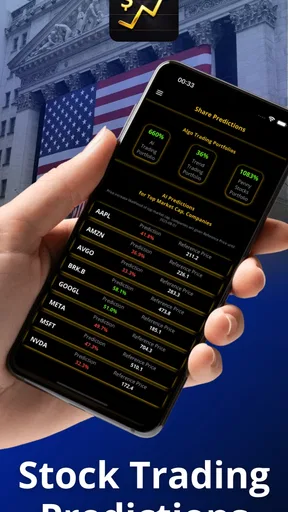
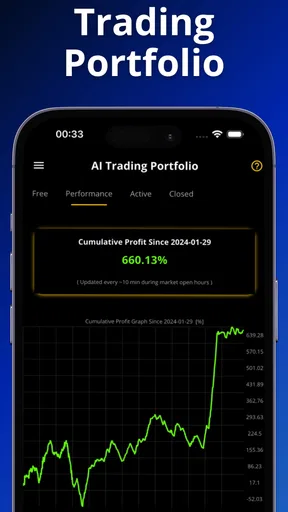
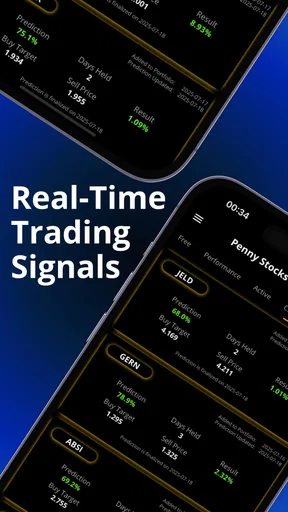
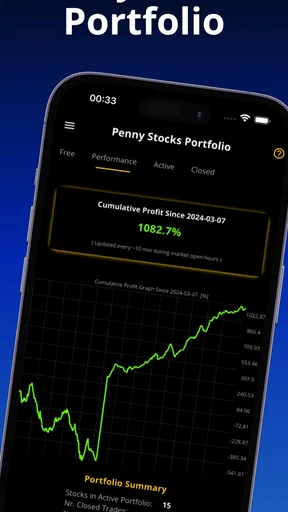
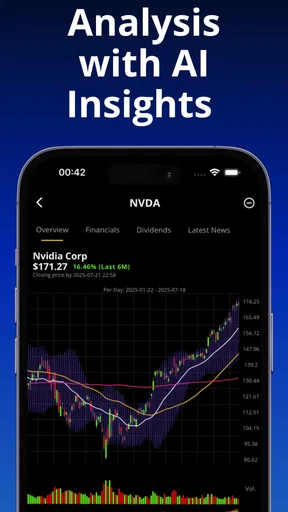
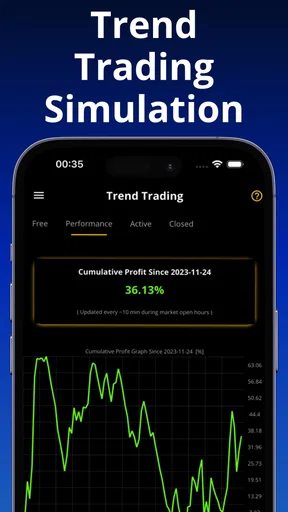
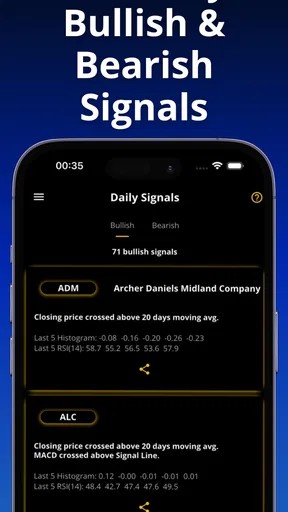
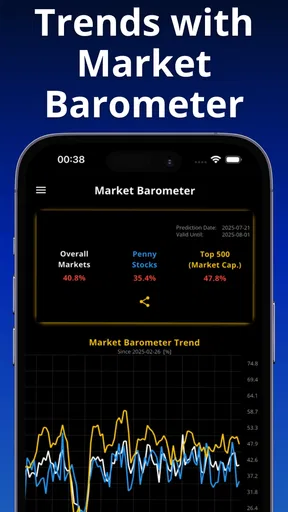
Our Review of Stock Signals & AI Forecasts
 Analysis by Appyee
Stock Signals & AI Forecasts is the kind of finance app I would approach with curiosity but also a clear limit: it can help me study market ideas, yet it should not replace my own research or become an automatic route to real-money decisions. Developed by Loheden AI Solutions AB, it combines AI-based stock signals, portfolio simulations, and technical analysis tools in a free app aimed at everyday investors. That combination makes it more useful than a simple price-watching tool, especially when I want to test a thought before acting on it.
My first impression is that the app makes more sense as a learning and decision-support workspace than as a complete brokerage alternative. I can use it to inspect market behavior, compare possible choices, and see how a portfolio idea might behave without immediately placing a trade. The store short description, “Stock Signals,” is brief, but the practical appeal is broader: the app tries to turn technical information into signals that are easier to review.
It has built a solid user base, with more than fifty thousand installs and a 4.4 average from roughly seven hundred ratings. It is free to start, rated for Everyone, and runs on Android from version 7.1 onward. Optional purchases range from about fifteen dollars to eighty dollars per item, so I would pay attention to which tools are available without payment before building my entire routine around it.
Getting past the first points of friction
I’d treat the first session as a chance to learn the app’s layout, not as a test of whether its signals can predict a winning trade. Starting with one familiar stock and one simulated idea gives me a clean baseline; after that, I can judge whether the analysis tools fit how I think about markets. That small, deliberate start also makes it easier to decide what I’d want to explore next.
Why the initial experience can feel less obvious
The biggest challenge with an app like this is not necessarily installation. It is understanding what each signal is meant to do. A signal can be useful as a prompt to investigate, but it is not the same as a guaranteed forecast. If I open the app expecting a simple “buy” or “sell” answer, I may find the experience less satisfying than expected because technical analysis needs context.
I recommend beginning with one watchlist idea rather than trying to evaluate a large group of stocks immediately. Pick companies or instruments you already understand, look at the available analysis, and compare the signal with the chart behavior you can see. This gives me a reference point. If the app presents a result that conflicts with my expectations, I can investigate why instead of treating the signal as an instruction.
The AI element is most helpful when I treat it as a second opinion. It can draw attention to a pattern I might have missed, but it cannot understand my personal time horizon, emergency savings, tax situation, or tolerance for losses unless those factors are part of my own decision process outside the app. That is an important distinction for anyone new to investing.
Simple setup checks before judging the app
When the app does not behave as expected, I would first check the basics. My phone should meet the minimum Android requirement, the app should be updated to its current version, and the internet connection should be stable while market information or analysis is loading. These checks sound ordinary, but finance apps are especially sensitive to incomplete loading because a blank chart or delayed value can look like a bad signal.
I would also close and reopen the app after an update, particularly if a chart, portfolio simulation, or analysis panel appears incomplete. If the problem affects only one screen, I would switch to another section and return rather than repeatedly tapping the same control. This helps separate a temporary display issue from a misunderstanding about where a feature is located.
Another useful check is to keep expectations realistic around market timing. A signal may be based on information that does not change every second, so refreshing repeatedly is not automatically going to produce a better answer. I prefer recording what I saw, noting the time in my own investment journal, and checking again later. That creates a more disciplined workflow than chasing every visual change.
How I would organize a first session
I would begin by exploring the analysis tools without making any financial commitment. I would choose a familiar stock, inspect its technical picture, and then create a hypothetical portfolio rather than immediately transferring the idea to a separate trading account. The simulation is valuable because it lets me ask practical questions: Did I choose too many positions? Was my entry based on a signal or on emotion? Would I still be comfortable with the idea after a short period of unfavorable movement?
A useful habit is to write down the reason for each simulated choice before checking how it performs. For example, I might say that I selected a stock because the technical signal matched a trend I had already been watching. Later, I can compare the result with my original reasoning. This turns the app from a prediction machine into a feedback tool for improving my process.
I would avoid changing several variables at once. If I alter the portfolio, timeframe, and stock selection together, I will not know which change affected the outcome. Testing one adjustment at a time makes the simulation easier to interpret and helps expose whether I am responding to evidence or simply reacting to recent movement.
Recovering when a workflow breaks
Suppose I open a portfolio simulation and the result does not look right. My first step would be to retrace the actions in order: which assets I selected, whether I changed the timeframe, and whether I accidentally replaced an earlier choice instead of adding to it. A short written record or screenshot can help me reconstruct the setup, especially when I am experimenting with more than one scenario.
If a chart or signal appears to be missing, I would check another stock before assuming the entire app is broken. A problem limited to one instrument may relate to the way that item is represented or to temporary data availability, while a problem across the whole app points more toward connectivity, an update issue, or a service interruption. This simple comparison prevents unnecessary changes to a working setup.
I would also avoid making a real-world decision while trying to recover a confusing simulation. First restore a clear view, then repeat the scenario from the beginning. The cost of spending a few extra minutes is small compared with acting on a misunderstood chart or an incomplete screen.
For people considering the optional purchases, I would take the same cautious approach. I would use the free experience long enough to understand my routine, then decide whether a paid item solves a specific problem. Paying for more information does not automatically improve the quality of a decision. If I cannot explain how a purchase would change my workflow, I would wait rather than subscribe or buy on impulse.
When the app is not the real cause
Many frustrations in investing come from the market rather than the software. A signal can be technically consistent and still lead to an uncomfortable outcome because prices move unpredictably. If my simulated portfolio loses value, that does not by itself prove that the analysis failed. It may show that the scenario carried more risk than I understood, that my chosen timeframe was too short, or that several positions were exposed to the same market factor.
This is where the app’s simulation function can be more useful than a direct trading shortcut. I can test whether my plan survives a period of uncertainty without putting money at risk. I would pay particular attention to concentration: a portfolio that appears diversified by company name may still be heavily tied to one sector or market theme. The app may show the positions, but I still need to think about the relationship between them.
It is also important to distinguish a delayed personal reaction from an app problem. If I keep checking signals because I am anxious about a position, the solution may be a calmer review schedule rather than more notifications or more analysis. I prefer setting a specific time to evaluate a simulated portfolio, then leaving it alone between reviews. That reduces the temptation to turn every small movement into a new decision.
For a real trade, I would use a separate regulated brokerage or investment service rather than assuming this app is designed to execute orders. Stock Signals & AI Forecasts is better suited to analysis and simulation in my routine. A brokerage will usually be the more appropriate choice for order execution, account management, and transaction records, while this app can sit alongside it as a research aid.
Practical use cases that make sense
One realistic everyday scenario is preparing for a weekend review. I might open the app after work, examine a few stocks already on my personal watchlist, and use the technical tools to identify which ones deserve further reading. I would then build a small simulated portfolio and record why each position was included. On the next review, I could compare the simulated outcome with my notes instead of relying on memory.
Another good use is learning how different technical signals behave. Rather than asking which signal is “right,” I can observe how signals align or disagree with the price trend and then read more about the underlying concepts elsewhere. This is especially useful for a beginner who wants to learn vocabulary and patterns without immediately risking savings.
The app can also help an experienced investor challenge a strong opinion. If I already believe a stock is attractive, I can inspect the technical view and create a neutral simulation instead of looking only for confirmation. The trade-off is that the app cannot remove my own bias. I still have to deliberately consider evidence that goes against my preferred conclusion.
I would skip it if my main need is automatic trading, detailed fundamental research, tax reporting, or a full investment account. It is also not the right fit for someone who wants a single definitive answer before buying. In those cases, a dedicated brokerage, a research platform, or a structured financial education resource may be a better match.
What I would want a new user to remember
The strongest way to use this app is to separate three stages: observe, simulate, and decide. First I look at the signal and technical context. Then I test the idea in a portfolio simulation. Only after independent research and a personal risk check would I consider whether any real-world action belongs in a separate service.
I would not judge the app by whether every signal produces a profitable result. I would judge it by whether it helps me make fewer impulsive decisions, notice patterns, and explain my own reasoning more clearly. That is a more demanding standard, but it is also more realistic for an AI-assisted finance tool.
My practical verdict
After looking at how it fits into an everyday investing routine, I see Stock Signals & AI Forecasts as a useful companion for people who want signals, charts, and portfolio simulations in one place. The free entry point makes experimentation accessible, while the technical focus gives curious users something concrete to study. Its rating and growing install base suggest that many users find value in that approach, but popularity should not replace personal testing.
The friction is mainly conceptual: users must understand that an AI forecast is guidance for investigation, not a promise. The optional purchases also deserve restraint, and anyone needing brokerage functions should look elsewhere. On my own phone, I would keep this app for research notes, simulated scenarios, and learning how technical signals fit into a broader plan.
My recommendation is simple: use it as a disciplined practice space, not as a financial autopilot. If you are willing to verify signals, test ideas without money first, and accept that markets remain uncertain, this finance app can add useful structure to your routine. If you want execution, comprehensive account services, or certainty, it is better to choose a more specialized alternative and leave this one as an optional analysis companion.
Verdict
Strengths of Stock Signals & AI Forecasts
- AI forecasts help identify potential market trends quickly.
- Covers multiple assets, including stocks, ETFs, and cryptocurrencies.
- Signal details can support faster research and decision-making.
- Useful watchlists make it easier to monitor selected investments.
- Clean interface is approachable for both beginners and experienced traders.
Limitations of Stock Signals & AI Forecasts
- Forecast accuracy can vary significantly during volatile market conditions.
- Signals should not replace personal research or professional financial advice.
- Some advanced tools or signals may require a paid subscription.
- Frequent alerts can encourage impulsive or excessive trading.
- Market data and forecasts may occasionally be delayed or incomplete.
Other Releases by Loheden AI Solutions AB
View All
Stock Options Trading Signals
Finance4.3
Similar Picks in This Category
View All
Google Wallet
Google LLC4.3

Airtel: Recharge, Bank & Loans
Airtel4.0

PayPal - Pay, Send, Save
PayPal Mobile4.2

DANA Indonesia Digital Wallet
PT Espay Debit Indonesia Koe4.5

Binance: Buy Bitcoin & Crypto
Binance Inc.4.8

Cash App
Block, Inc.4.7
Frequently Asked Questions
What is Stock Signals & AI Forecasts, and how does it work?
Stock Signals & AI Forecasts is a market-analysis app that uses artificial intelligence, historical price data, technical indicators, and market trends to generate forecasts and potential buy or sell signals. After opening the app, users can browse supported stocks, review predicted movements, and examine charts or signal details. These forecasts are analytical suggestions, not guaranteed results or personalized financial advice.
Are the stock signals and AI forecasts accurate or guaranteed to make money?
No. The signals and forecasts should never be treated as guaranteed predictions. Stock prices can change suddenly because of news, economic events, company announcements, market sentiment, and other factors that an algorithm may not anticipate. During testing, the app is useful for discovering ideas and organizing research, but every signal should be independently verified. Investors should consider their risk tolerance and avoid investing money they cannot afford to lose.
Does Stock Signals & AI Forecasts provide real-time market data?
The availability and speed of market information can depend on the selected market, data provider, subscription plan, and internet connection. Some prices or signals may be delayed rather than truly real time, which is important for users making short-term trading decisions. Before relying on the app, check the timestamp of each quote and signal, review the app’s data disclosures, and confirm important prices through a trusted brokerage or financial platform.
Is Stock Signals & AI Forecasts free to download, and are there in-app purchases?
The app may be available to download at no initial cost, but certain features can require a subscription or in-app purchase. Premium access may include additional forecasts, more detailed indicators, expanded watchlists, alerts, or fewer restrictions. Users should carefully review the pricing page, trial terms, renewal conditions, and cancellation instructions before subscribing. A free download does not necessarily mean that all analysis tools are free to use.
Is Stock Signals & AI Forecasts suitable for beginners, and can it replace a financial adviser?
The app can be helpful for beginners because it presents market signals, charts, and forecast information in a more accessible format than many professional trading platforms. However, new investors should first learn basic concepts such as volatility, diversification, stop-loss orders, and position sizing. The app cannot understand a user’s complete financial situation and should not replace a qualified financial adviser, personal research, or a carefully planned investment strategy.
